Daily Gaming is a phone app, but you don't play the game on your phone. The app finds you an opponent, sets up the match and settles the result. The game itself happens where it always does: Madden, College Football or NBA 2K on your console or PC. Here's a full match from start to finish, so you know exactly what to expect.
1. Pick a match or challenge someone
Open the app and you have two ways in:
- Join an open match from the lobby. Anyone's posted challenges show up there.
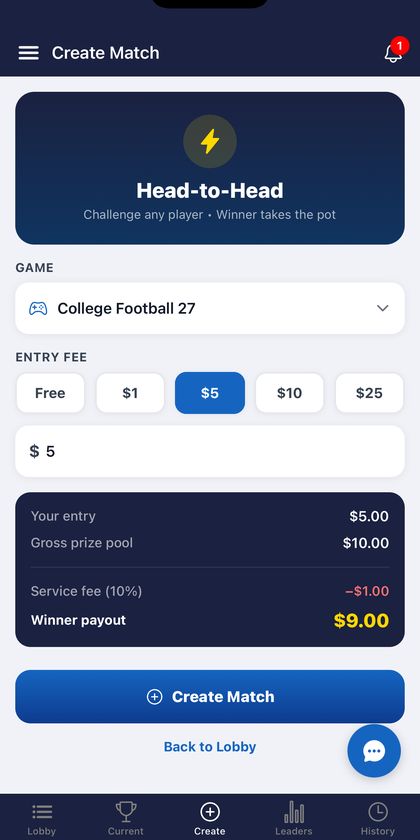
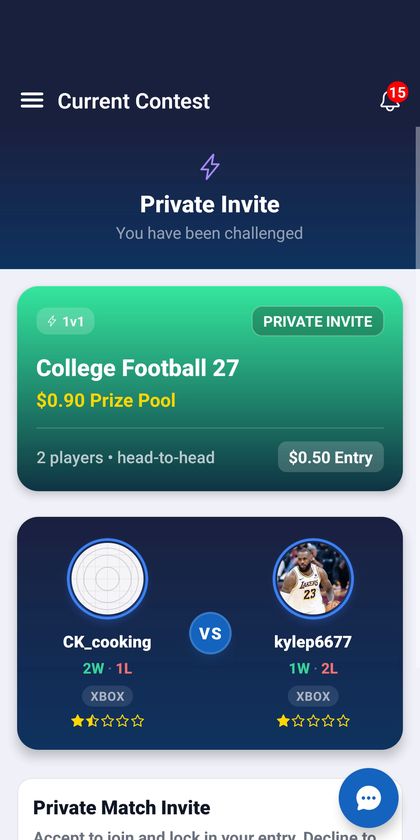
- Create your own. Tap Create, pick the game, and choose the entry: Free, or $1, $5, $10, $25 or your own amount. You can post it for anyone, or send it straight to a friend as a private match.
Before you create a paid match, the app shows exactly what's at stake: your entry, the prize pool, the 10% service fee and what the winner takes home.
2. Connect with your opponent
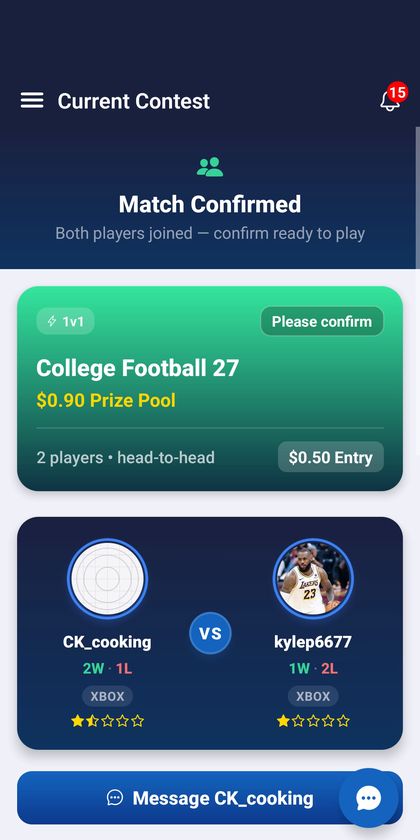
Once both players are in, the match is confirmed and you can see each other's gamertag and console. Add your opponent as a friend on Xbox, PlayStation or PC and invite them into a game, the same way you'd play anyone online. If you need to sort out details, there's a Message button right on the match.
3. Snap the kickoff screen
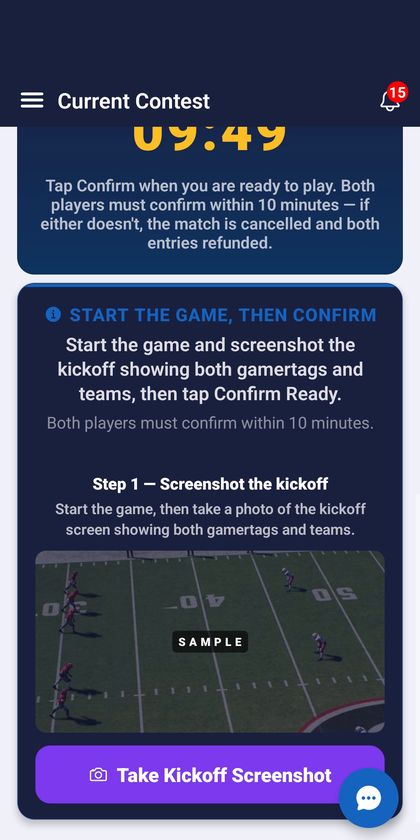
This is the step that keeps every match fair. Start the game, and at the kickoff screen (Madden and College Football) or the lobby screen (NBA 2K), tap Take Kickoff Screenshot in the app and take a photo of your TV showing both gamertags. Then tap Confirm Ready.
Both players have 10 minutes to confirm. If either one doesn't, the match is cancelled and any entries are refunded, so nobody gets stuck waiting on a no-show.
4. Play the game like normal
Nothing changes about the game itself. Play your match on your console the way you always do. Skill decides it.
5. Snap the final score
When the game ends, go back to the app and take a photo of the final score screen. Your opponent then confirms the result, or concedes. If the two of you disagree, the app checks both photos, and a person from our team reviews it when needed. If your opponent doesn't respond in time, the result you submitted stands.
6. The winner gets paid automatically
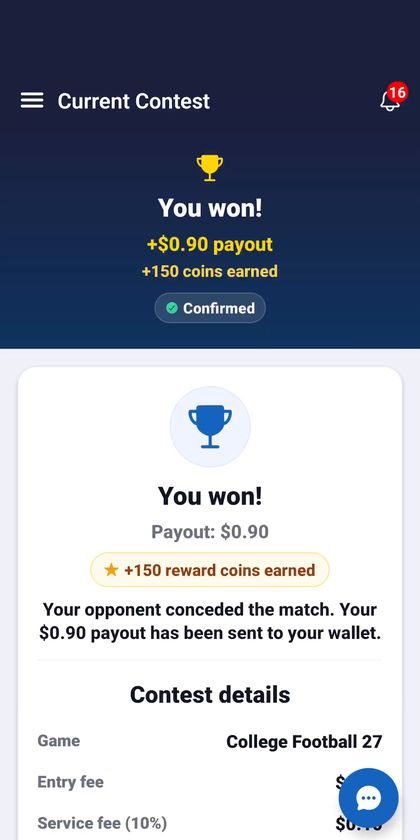
In a paid match, the winner receives both entries minus the 10% service fee, sent straight to their in-app wallet. Nobody has to chase anyone for money. In a free match, there's no money involved. Free matches are unlimited, and your first three earn reward coins.
Before your first match
- Start free. It's the easiest way to learn the flow with no risk.
- For paid matches, add funds first. Your entry comes from your in-app wallet, which holds USDC (a digital dollar). Tap Wallet → Receive to add it.
- Check where you can play. Daily Gaming is for players 18+ in eligible US states.
- Want more than 1v1? There's a free NBA 2K27 tournament every Thursday.